Fiori · COPA · Custom Analytics
Manufacturing CDS view extensions SAP Controlling (CO-PA) SAP Fiori
How a global release liner manufacturer replaced manual Excel margin work with a real-time Fiori profitability app
Leader in Paper and Film Release Liners Delivered 2022
Mindset built a real-time Fiori profitability-analysis app directly in the manufacturer's constrained SAP environment, replacing manual Excel margin work with live COPA visibility across customers, products, and market segments.
By the numbers
-
3 apps
Fiori apps delivered to production Launchpad
-
0 admin rights
Required. Built inside a fully locked-down SAP environment
-
Real-time
COPA margin visibility replacing manual Excel calculation
Why this matters
The technical constraint is the story. Mindset delivered three production Fiori apps with no admin rights, no WebIDE, and a UI5 version that did not support Export-to-Excel out of the box. The team solved around each limitation without touching the underlying environment.
Before
Manual Excel, no real-time visibility
- Finance teams downloaded SAP data, calculated margins by hand in Excel, and re-keyed results, a slow and error-prone process.
- No live profitability view across customers, products, or market segments.
- Inventory reporting required the MC.9 transaction workflow with manual Excel totaling at each step.
After
Live Fiori apps, all inside a constrained environment
- A real-time COPA app surfaces profitability across customers, customer groups, products, product groups, revenue, COGS, and margins directly from SAP.
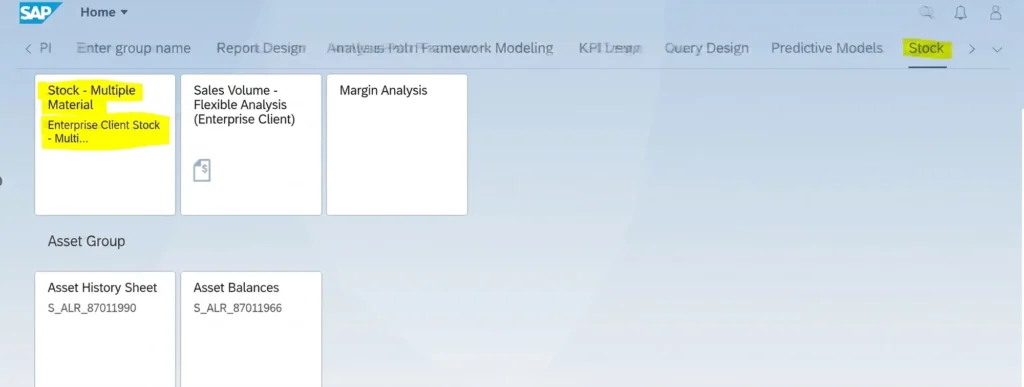
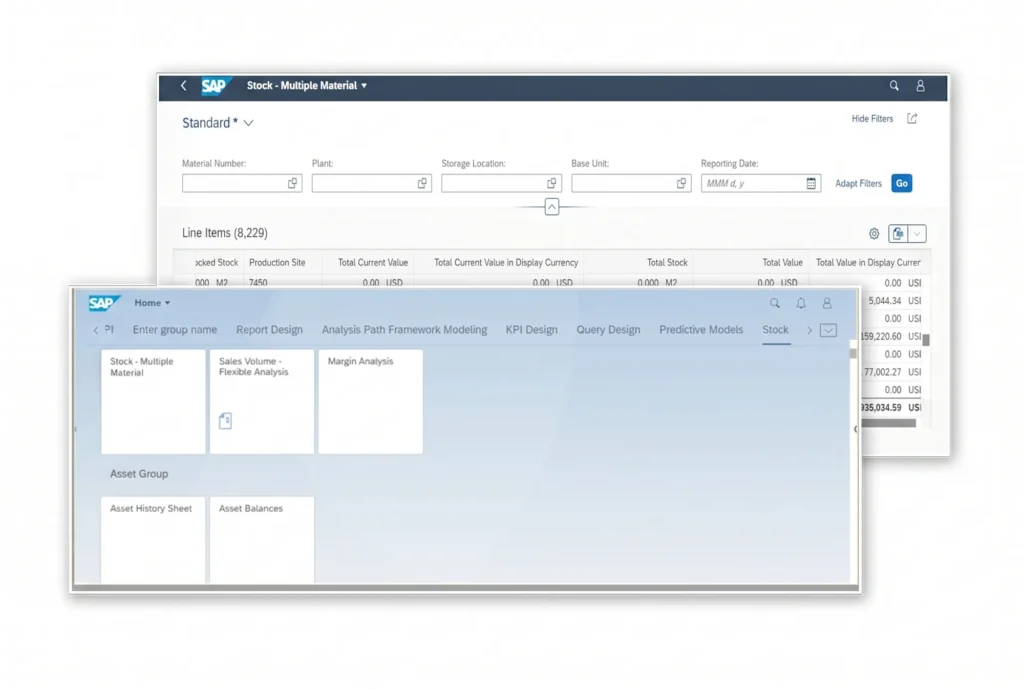
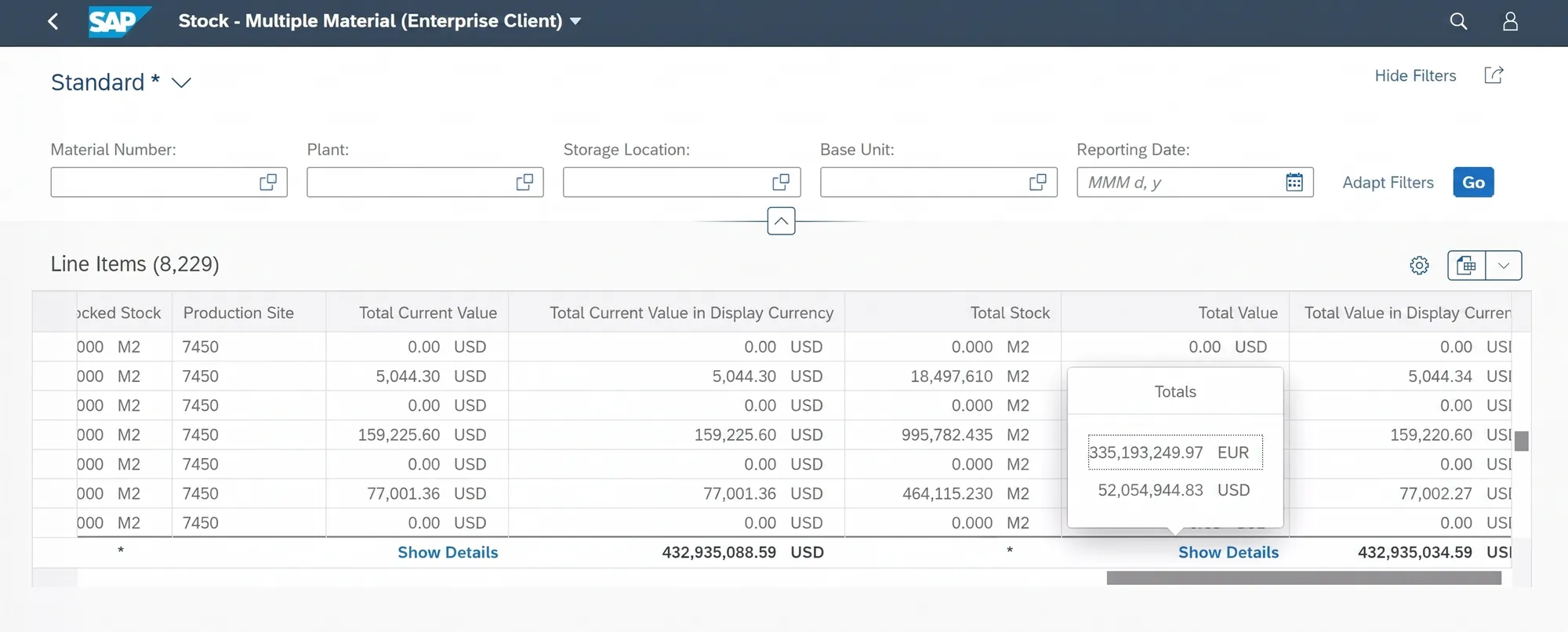
- A Stock Multiple Material app calculates inventory totals natively, replacing the MC.9 workflow.
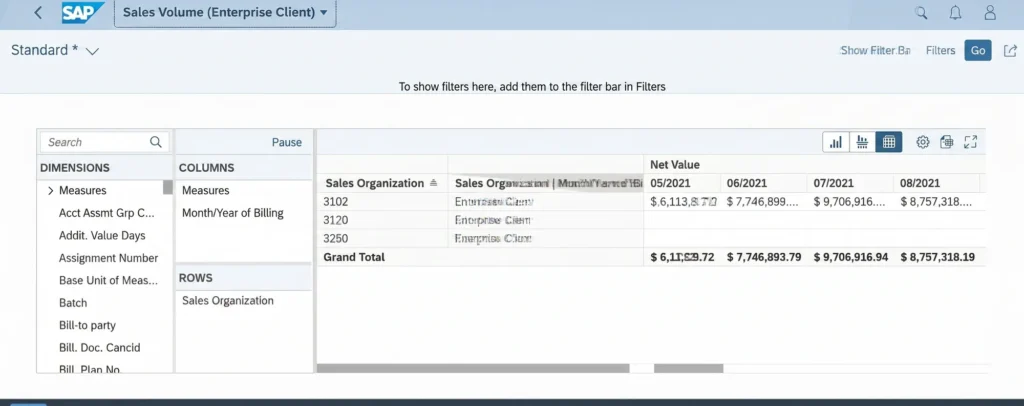
- A Sales Volume dashboard with COGS and enhanced flexible analysis, all accessible from the production Fiori Launchpad.
The challenge
A global release liner manufacturer ran profitability analysis the hard way. Finance teams downloaded data from SAP, calculated margins by hand in Excel, and re-keyed results back in. The process was slow and error-prone, and it gave leadership no real-time view of margin across customers, customer groups, products, product groups, or market segments.
They also needed a way to export that extended data back to Excel for reporting workflows. The technical situation made this harder than it sounds. Mindset had to build directly inside the company's existing SAP environment running SAP HANA and UI5 version 1.71.13, with no admin rights and no local WebIDE available. That particular UI5 version did not include a native Export-to-Excel button through the standard template, so a custom solution was the only path.
What we did
Mindset extended the standard SAP Controlling and Profitability Analysis application with a custom Fiori and UI5 app, built directly against the ACDOCA table via a CDS view extension.
With no local WebIDE and no admin rights, the team installed VS Code on the remote system and configured Fiori and UI5 tooling there. The new profitability columns were added through the CDS view extension, and a custom Export-to-Excel capability was built from scratch through VS Code because the older UI5 template did not support it through the standard route. The finished application was deployed to the company's Fiori Launchpad.
The work landed well enough that the client extended the engagement through a follow-on change order. That second phase brought additional Fiori enhancements including a Stock Multiple Material reporting app to replace the MC.9 transaction workflow and a Sales Volume dashboard that pulled COGS fields into a single reporting view.
The outcomes
The manufacturer moved from manual, error-prone Excel margin work to a live Fiori app that surfaces full profitability detail across customers, customer groups, products, product groups, and market segments directly from SAP. Finance teams no longer download and re-key data to get margin numbers.
The Stock Multiple Material app replaced a cumbersome MC.9 workflow. Totals now calculate natively in the application instead of in spreadsheets, and production-site information is surfaced in one place. The Sales Volume dashboard added COGS visibility and improved flexible analysis in a single reporting view.
All three applications were deployed to the company's Fiori Launchpad and the team now has native Export-to-Excel across each one, built to work inside the constrained UI5 environment.
If we built this today
Concept · not delivered scopeThe margin work watches itself now.
This is a forward-looking concept, not the scope we delivered on this engagement. It is the build we would reach for now, grounded in SAP that ships today.
This team was downloading CO-PA data, totaling margins by hand in Excel, and re-keying the results, so the build today is a profitability layer that reads account-based CO-PA live in S/4HANA and flags the margins that moved instead of waiting for someone to rebuild a spreadsheet.
The data product
Working Capital Insights
An Intelligent Application on SAP Business Data Cloud that grounds the agent in governed finance semantics, so margin and profitability figures carry the same meaning the close does rather than a hand-built Excel definition. It gives the agent a trusted, modeled view of revenue and cost to reason over.
Intelligent Application on SAP Business Data Cloud
The Joule agent
Margin Exception Watcher
Reads account-based CO-PA postings off the universal journal across customers, products, and market segments, then watches for margins that slip below plan or move sharply versus prior period. It proposes the variance breakdown by revenue, COGS, and allocated cost so finance reviews the exception instead of recalculating the whole book.
SAP S/4HANA Controlling (CO-PA), SAP HANA, ACDOCA, CDS view extensions · PROPOSE · Time to surface a margin variance, and margin leakage caught before period close
The Fiori app
Profitability and margin analysis app with embedded Joule (category)
S/4HANA ships profitability and margin analysis apps that run live against the universal journal, so finance gets the customer, product, and segment margin views in the launchpad with Joule on hand to explain a number. SAP has not named one single app for this exact CO-PA pattern, so treat this as the category rather than a fixed product name.
Embedded in the Fiori launchpad
Honestly, we would mine the real download-total-rekey loop in SAP Signavio first, map the CO-PA and Fiori footprint in SAP LeanIX, and lean on MIND accelerators to carry the old CDS-extended app forward to the new one.
What we built
-
Real-time margin visibility replacing manual Excel downloads
Real-time COPA profitability app
Custom Fiori and UI5 extension to the standard SAP COPA application, adding profitability columns via a CDS view extension and built against the ACDOCA table for live margin data across customers, customer groups, products, product groups, and market segments.
-
Native export in a UI5 version that does not support it out of the box
Custom Export-to-Excel capability
Hand-built Export-to-Excel function, created through VS Code remote tooling because the installed UI5 v1.71.13 version did not support it via the standard template.
-
Full delivery inside a restricted SAP system with no admin access
Constrained-environment delivery
The entire build ran with no admin rights and no local WebIDE. The team installed VS Code on the remote system and configured Fiori and UI5 tooling there to work within the locked-down environment.
-
Replaced manual MC.9 spreadsheet workflow with a native app
Stock Multiple Material reporting app
A Fiori replacement for the MC.9 transaction workflow, calculating inventory totals natively in the application and surfacing production-site information in one view, with native Export-to-Excel.
-
COGS and sales data in one reporting view
Sales Volume dashboard
Enhanced Sales Volume reporting with COGS fields added to the Sales Dashboard and improved flexible analysis capabilities, deployed to the company's Fiori Launchpad.
-
Three apps live in the production Launchpad
Fiori Launchpad deployment
All three applications delivered to the company's existing Fiori Launchpad, giving finance and operations teams access within their standard SAP entry point.
A look at the work