
Can you use SAP Joule with on-premise S/4HANA systems? This is one of the most common questions we’re hearing at Mindset right now, and for good reason—the vast majority of SAP customers are still running on-premises (non-RISE) systems.
One of the wonderful aspects of attending conferences like ASUG Tech Connect is the opportunity to talk with SAP product experts to really understand the roadmap, and to hear directly from customers about what they’re confused about or struggling with in their environments.
If you ask SAP this question, the answer will be “no,” and that this is not on the roadmap. Even worse, the set of skills that Joule provides is different for S/4HANA Cloud, Public Edition and S/4HANA Cloud, Private Edition—both of which are supported by Joule and on the roadmap.
But customers should be aware that a very clear and positive answer is coming into focus and should be achievable in Q1 of 2025, based on SAP’s published roadmaps: Customers will be able to deploy Joule and enable it to interact with all types of on-premise systems and non-SAP cloud systems—from S/4HANA through ECC and CRM, to Salesforce and ServiceNow.
What is SAP Joule?
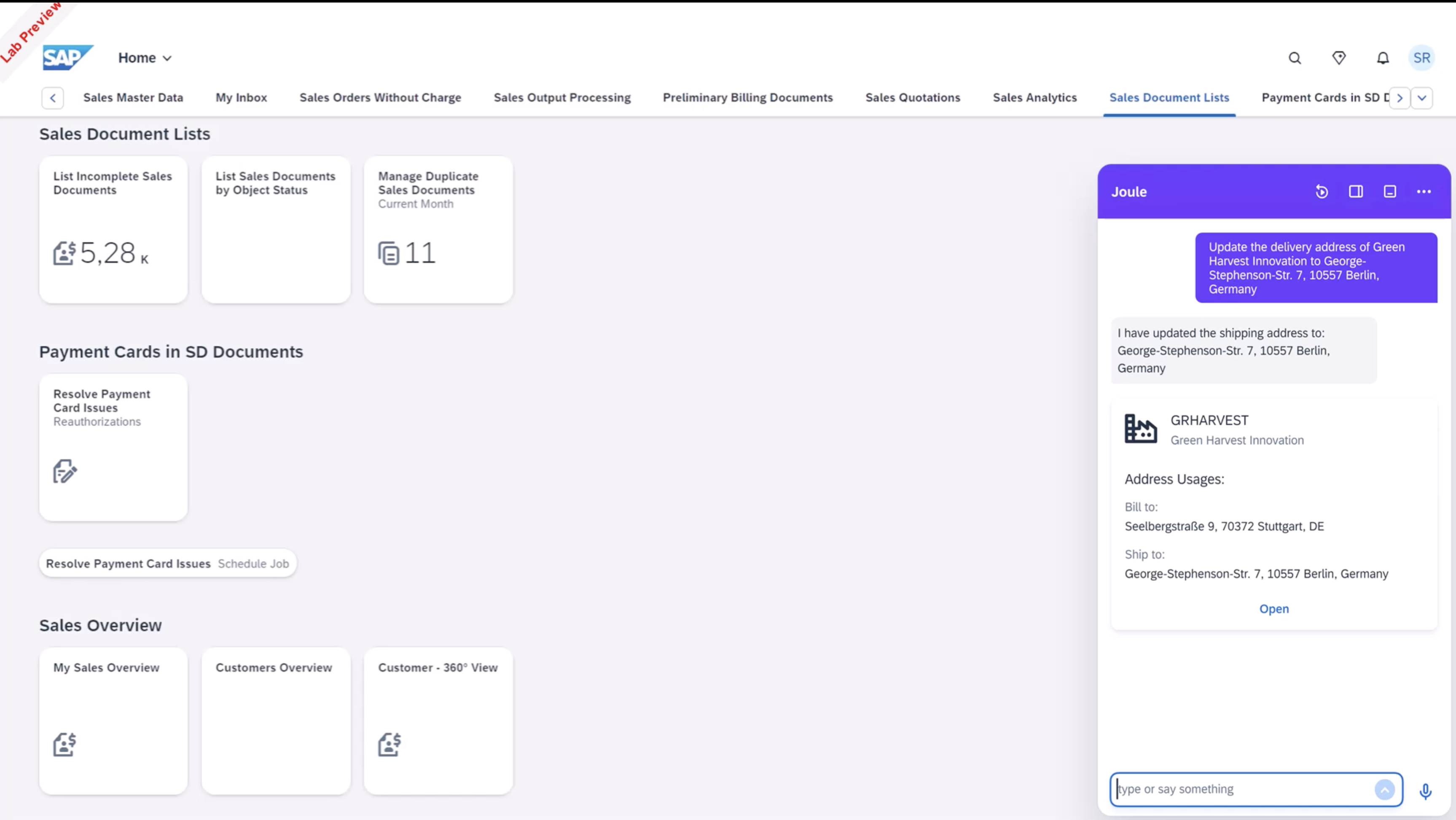
Joule is simply the branded, consistently designed chat front-end for SAP’s AI capabilities across its suite of applications. Joule is available in several different SAP applications—from SuccessFactors to S/4HANA Public Cloud and SAP Build Code—with other instantiations coming soon, like SAP Build Work Zone, Standard Edition (see image).
Meanwhile, multiple SAP applications provide capabilities, or skills, to Joule. For example:
- S/4HANA Cloud, Public Edition might provide the ability to search for and create sales orders
- SuccessFactors may provide the ability to ask questions about corporate policies
- SAP Build enables creation of custom AI agents and workflows
The vision for Joule is that wherever you see it, you’ll be able to interact through chat and trigger any of its capabilities. So even if you’re in SuccessFactors, you’ll be able to ask questions about your sales orders in S/4HANA.
The challenge? SAP can only provide so many skills for Joule, and SAP’s prioritization of skills may not match yours as a customer. What if you want your employees to do something with Joule that SAP hasn’t thought of, doesn’t prioritize (on-premises systems), or doesn’t control (third-party systems like ServiceNow)?
How to Connect SAP Joule to On-Premise Systems
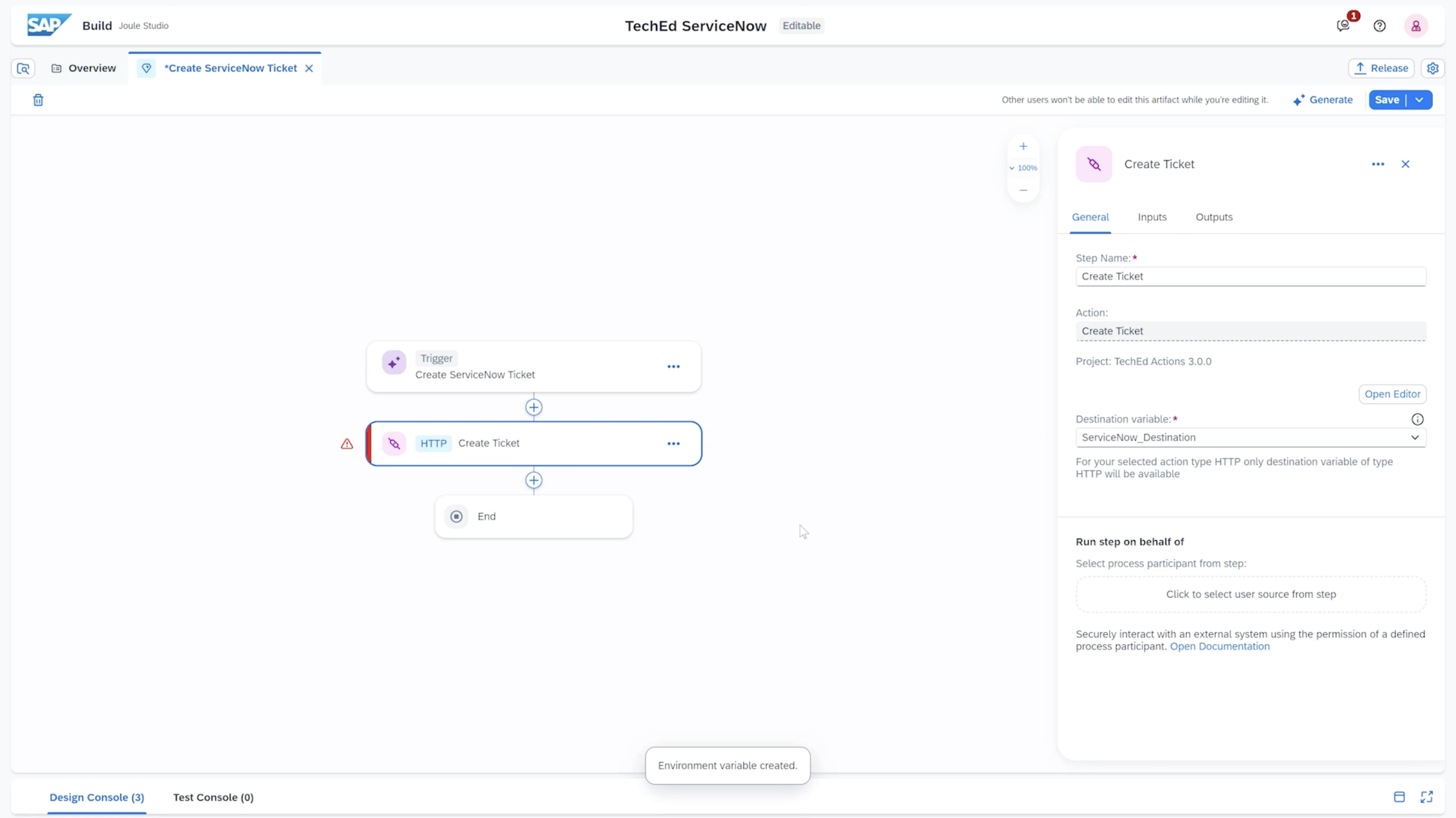
Here’s how it works:
- Deploy Joule in SAP Build Work Zone, Standard Edition
- Extend with Joule Studio in SAP Build to provide additional skills
- Use Actions configured in SAP Build Process Automation within these skills
- Call services and RFC-enabled function modules within your on-premises systems
This solution will be easy for developers familiar with the Build tools to implement, especially those comfortable with Build Process Automation (BPA). However, it does require some pre-work:
For this to work seamlessly, you’ll need to ensure that your SAP BTP environment is properly configured and governed, so you can achieve seamless identity propagation from your Build Work Zone site through BPA, to your backend system via destinations and Cloud Connector.
And, of course, this solution requires the realization of key roadmap items that will enable it.
SAP Joule Roadmap for On-Premise Integration
At Tech Connect, Michael Ameling reiterated the immediate roadmap that was already shared as part of the virtual TechEd in October. You can see the hero slide below (click for more detail).
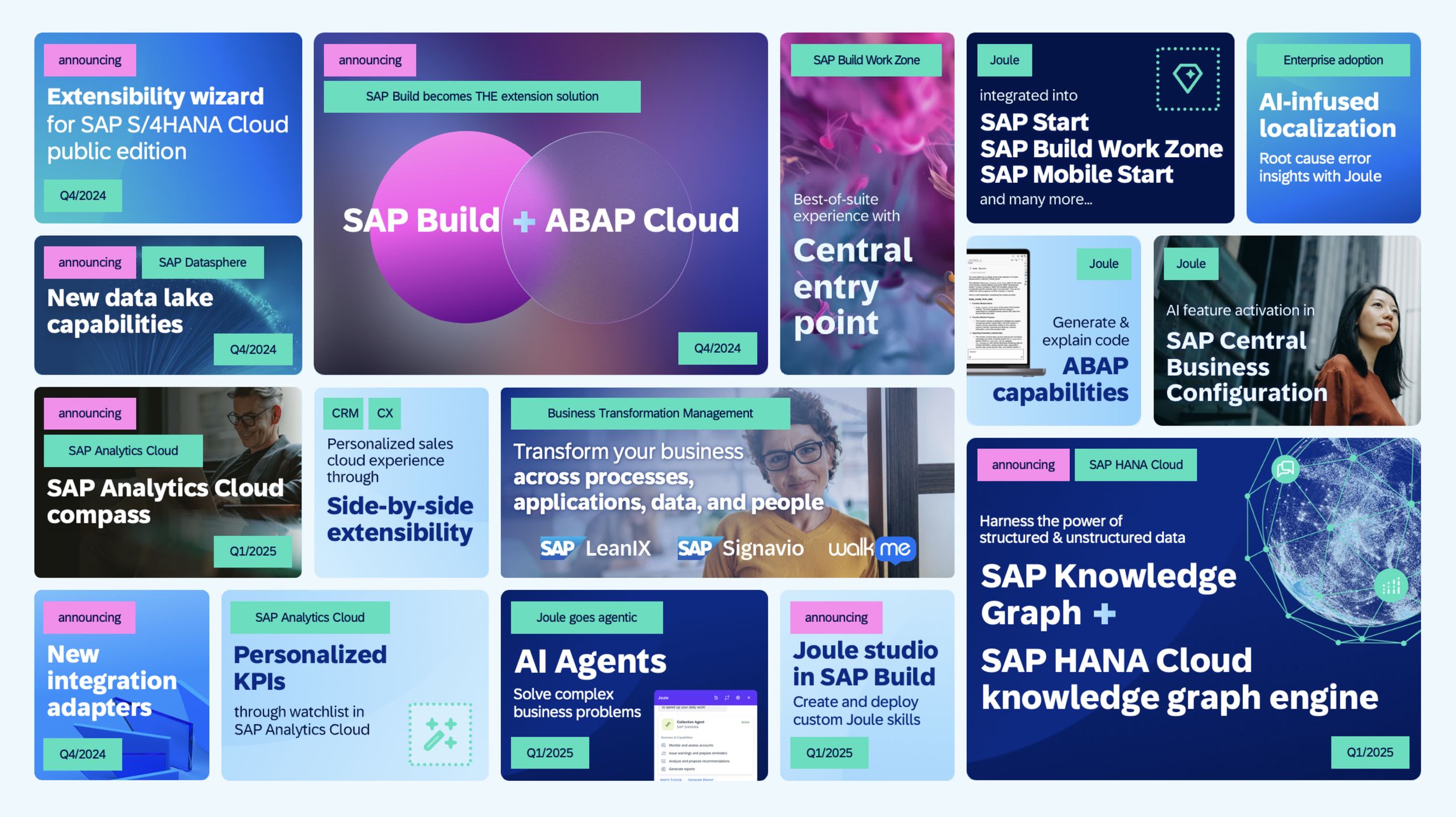
The key functionality we need to see from the roadmap:
- Joule integrated into SAP Build Work Zone, Standard Edition
- Joule Studio in SAP Build (scheduled for Q1 2025)
- RFC consumption through actions in the process editor (in BPA)
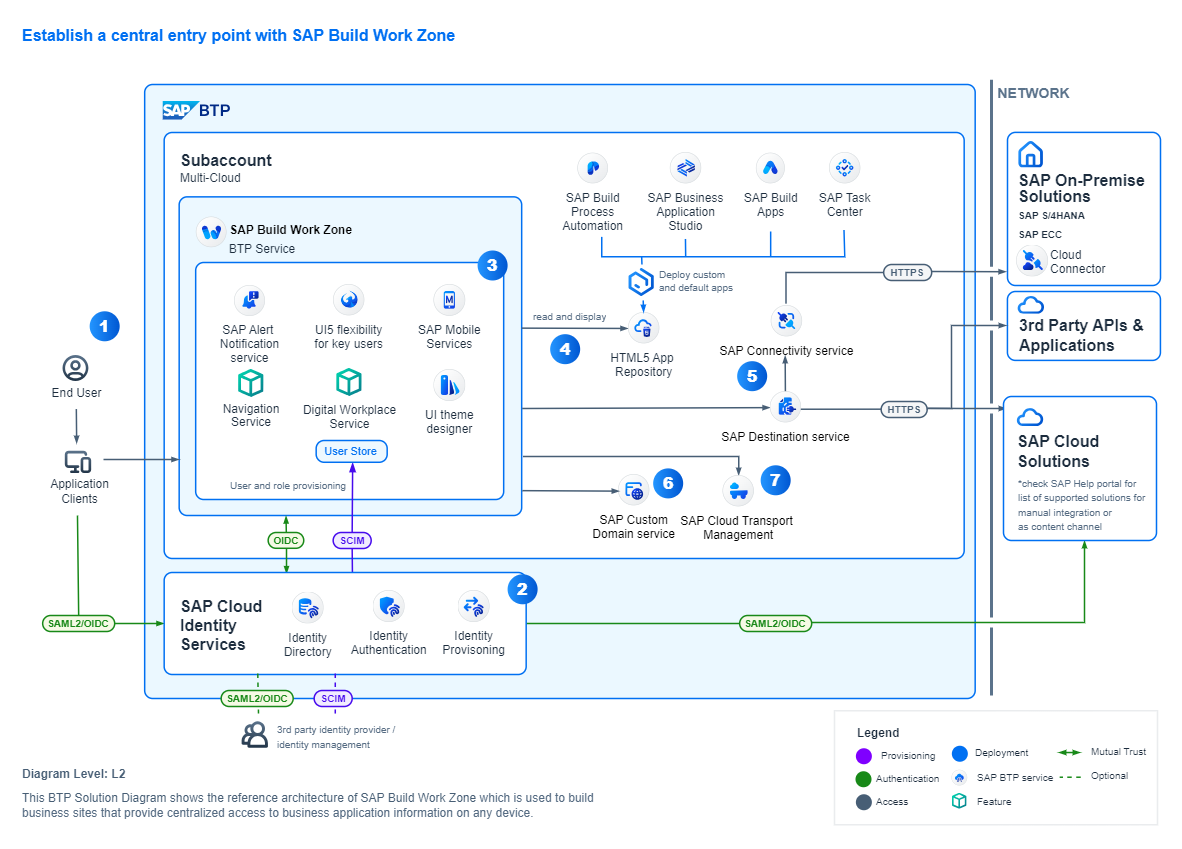
By the end of Q1 2025, all of these pieces of the puzzle should be in place.
But What About Security?
A critical question: How do we ensure that Joule can’t access data the user shouldn’t be able to access and can’t execute actions the user doesn’t have permission for?
If BTP is set up properly to handle identity propagation as described above, this is a non-issue. The actions the user takes through Joule execute as the user in the backend system, subject to all the security restrictions in the S/4HANA system.
It is vitally important to have this BTP setup in place before enabling Joule for on-premise systems.
Need Help Getting Started?
Mindset has extensive experience helping organizations leverage SAP BTP and SAP Build for AI-driven innovation. Our BTP enablement offering can get your environment configured properly in about two weeks, including:
- BTP architecture and governance setup for identity propagation
- Cloud Connector configuration for secure on-premise connectivity
- Upskilling for your BTP administrators on best practices
- Workshop to educate stakeholders on AI and Joule capabilities
- Roadmap planning for custom Joule skills and AI agents
Ready to extend Joule to your on-premise systems? Contact us to discuss how Mindset can help you prepare for Q1 2025 and beyond.
Want to learn more about SAP’s AI capabilities? Explore our resources on SAP Build, SAP BTP, and AI-driven innovation.
