
In JavaScript, ‘class’ is a kind of function, but instead of using the keyword function to initialize it, we use the keyword ‘class,’ and all the properties are assigned inside a constructor() method of a class.
A class is a user-defined blueprint or prototype consisting of the same objects. Each object of a class will share a standard set of properties or methods. ES6 provides a keyword “class” to create classes in JavaScript. Classes in JavaScript were introduced in ECMAScript 2015.
Let’s understand it by examples:
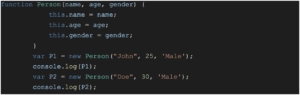
The above code has a parameterized function called “Person.” And we have two objects, P1 and P2, of type “Person.” Though JavaScript is an object-based language, everything in JavaScript is an object. This is also one of the old ways to create objects with a new keyword. Usually, in other programming languages, we create objects with new keywords while using the concepts of classes. But in JavaScript, we can create objects with a function as well. Below is the output of the above code.

Now let’s see another example with a class in JavaScript. In JavaScript class is written using the class keyword as in other languages.
Syntax:- class ClassName { }
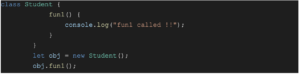
Here fun1 is a function in class Student, and obj is its object. To access the function inside a class, we write ObjectName.functionName().
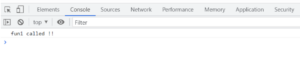
Here className.functionName() = obj.fun1(). Below is the output of the above code.
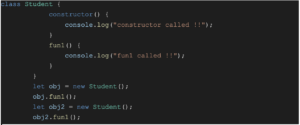
Another example:
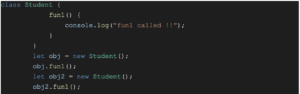
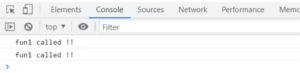
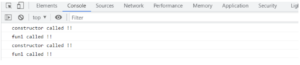
Here there are two objects, obj, and obj2, which call the same function, fun1(). So the output is two times “fun1 called !!”
Another example with a constructor:
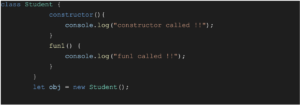
Constructor in JavaScript is a special kind of function without any name. It’s written as a constructor() {}. Constructor is invoked whenever an object is created, as in the above example.

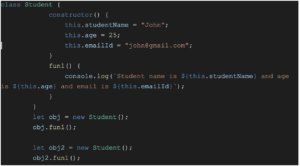
Example with constructor and function:
To access variables of a constructor anywhere in the class, the “this” keyword is used.

Parameterized constructor in JavaScript:
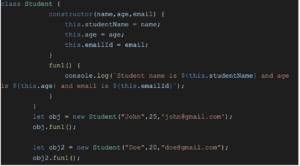

In the above example, we passed parameters to the constructor by passing arguments while creating objects. These arguments go and are set as the parameter in the constructor.
Hence we now have a good understanding of classes in JavaScript, How to define a class, What a constructor and parameterized construction are, and How to access the class and the members of the class.
These topics are usually left untouched while learning JavaScript but are really important from a development point of view.
Happy Learning!
If you have an interest in viewing similar content, visit our blog, here.
View our LinkedIn, here.