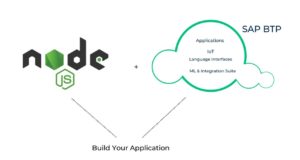
With all the buzz around BTP happening lately, I wanted to offer my two cents on the topic. In this blog, I will explain the major differences we encounter while developing Node.js cloud web applications in SAP BTP using CAP model VS in Azure. By the end of this blog, you should have an idea why we need to chart these differences, as BTP cloud platform has extended a significant amount of stability in building applications which brings about hidden service capabilities of an enterprise.
I’ll start with a brief intro on SAP BTP, CAPM & AZURE. Re-iterating the technology standards can help us find numerous opportunities to mitigate innovation challenges. The below should give you an idea for integration of cloud solutions with enterprises.
SAP Business Technology Platform (SAP BTP) brings together intelligent enterprise applications with database and data management, analytics, integration, and extension capabilities into one platform for both cloud and hybrid environments, including hundreds of pre-built integrations for SAP and third-party applications.
CAPM: CAPM, popularly known as SAP Cloud Application Programming Model has guided developers for eminent practices. By building applications with inbuilt test cases, SAP CAPM ideates a gamut of languages, libraries & tools for enterprise-grade services & product-resource enhancement.
AZURE: Microsoft Azure is one of the public cloud computing platforms that provide a range of cloud services, including computing, analytics, storage, and networking. Developers can dive into this storehouse of applications or even run existing applications on the cloud.
Let’s now move on to the most awaited part of the blog, you can find below.
Simple Node js application with supporting CRUD operations in BTP using CAPM.
Application info: A simple Node. js application which contains a single table with supporting actions CREATE, READ, UPDATE and DELETE operations on it.
Prerequisites: Little knowledge on CAPM and Node. js, SAP BTP Trial Account, hands on experience with Visual studio
Steps:
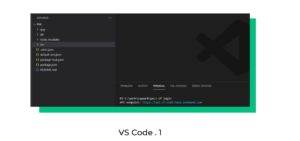
i) Create a CDS project in VS Code & it will create the necessary configuration files as below.
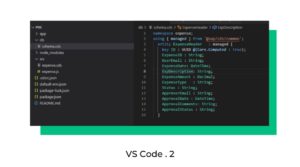
ii) Now, all you need is to define our table inside the DB folder with necessary properties
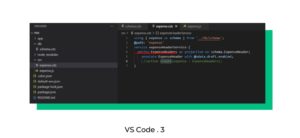
iii) Next, you need to expose our table through the service file defined in the SRV folder like below
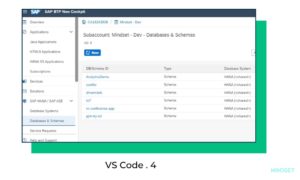
v) Create HANA Db and then DB instance by visiting BTP Account
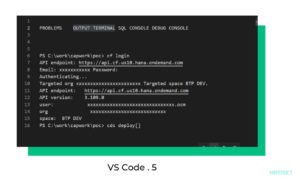
v ) Sign in to BTP cloud foundry account from VS code and deploy to cloud foundry from VS code by following simple commands.
Key Findings: In BTP, tables are defined with everything else like CRUD operation, entity creation, data validation and database configuration. Here, everything will be taken care of by framework only. It is the primary advantage, less code and easy maintenance.
Simple Node js cloud application with supporting CRUD operations in AZURE Cloud.
App description: Simple table with supporting CRUD operations & Azure cloud.
Prerequisite: Visual studio & Azure trial account
Steps:
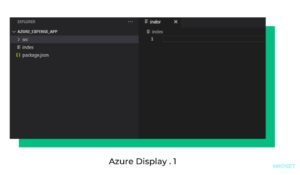
a) Creating Node. js project, will navigate you to the terminal in VS code & then create the Node. js project structure. You will have config files similar to those below.
b) In the Azure trial account, create the database you want to use while storing the table.
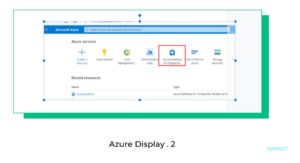
c) In VS Code, provide the connection details in the index file to connect to the database you first created in Azure. Also, prepare the SQL scripts to create the required table in the database.
d) In the src folder, add the model and necessary route folders with required files inside them.
e ) Now define the routes to handle the CRUD operations and test the services
f ) First sign in to azure account in VS Code and Deploy to Azure by using Azure app service.
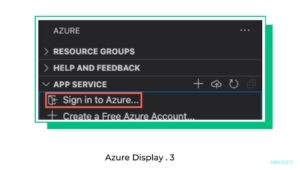
Key Findings: Cloud micro service app using Azure requires a lot of effort when it comes to the developer’s perspective and more configuration is needed.
Conclusion: If you want to develop a microservice-based cloud application, then SAP BTP is the best choice over Azure with minimal coding and less configuration from the developer’s end. If you consider Azure, we need to write the SQL scripts, define the models and its respective routes, whereas, in the BTP CAP Model, they’re taken care of by the framework itself.
If you are interested in viewing similar articles, visit our blog, here.
View our LinkedIn, here.


